Italy business email list for company research and prospecting
The Italy business email list gives you a downloadable file covering 831 275 companies, with 758 419 email addresses and 697 908 phone numbers. Work in Excel to select relevant businesses by industry, location or legal form, then research the accounts that suit your offer.
The full Italy file is available from 199 € as a one-time purchase in XLSX and CSV. Download the free 50-row sample first to inspect the columns and decide whether the available information fits your workflow.
- companies
- 831 275
- companies
- email addresses
- 758 419
- email addresses
- full Italy file, one-time
- 199 €
- full Italy file, one-time
- Downloadable XLSX and CSV
- Free 50-row sample
- One-time payment, no subscription
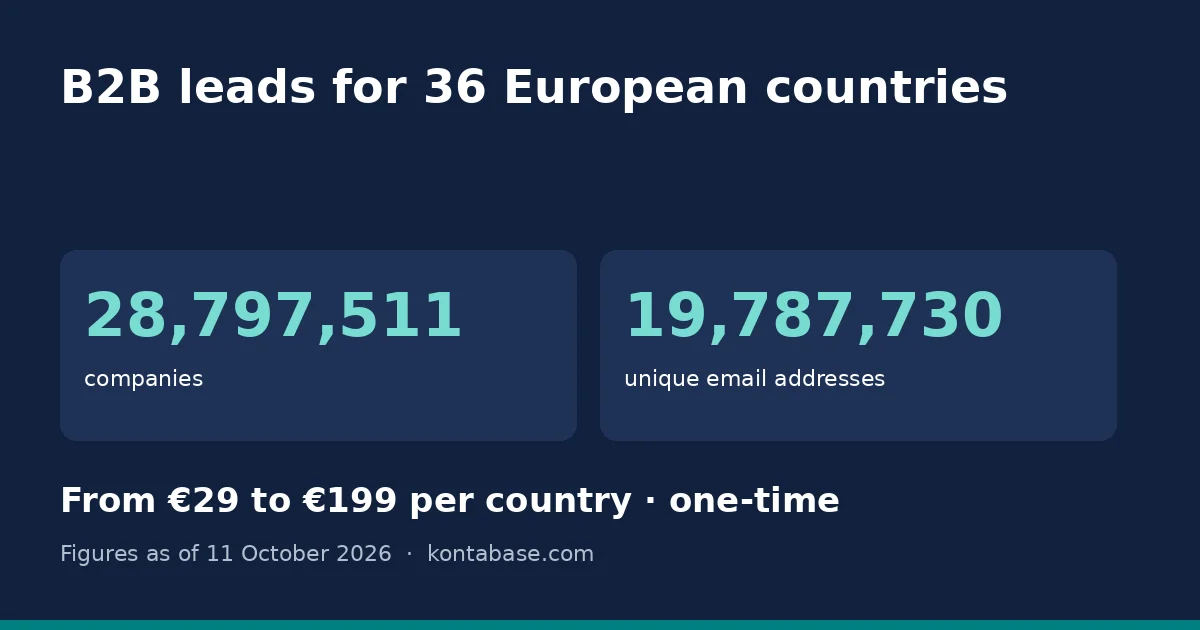
What's in the database
This is a company-level file for researching businesses in Italy, not a list of people who have requested contact. Company identifiers and address details sit alongside email and telephone fields. The totals describe separate types of data; they do not mean that every company has every contact field populated.
Use the table below to check what your team can work with before purchasing. Revenue, employee numbers and named decision-makers are not included. The sample lets you inspect the actual layout rather than relying on assumptions about what a business database normally contains.
| Field | What's included |
|---|---|
| Company name | Included |
| Registry number | Included for identifying and matching companies |
| Address | Included, with postcode |
| City | Included within the address |
| Region | Not included as a separate field |
| Industry code | Included |
| Employees | Not included |
| Revenue / turnover | Not included |
| Phone | Included; availability varies by record |
| Included; availability varies by record | |
| Website | Not included |
| Board members | Not included |
| Decision-makers | Not included |
| Legal form | Included |
| Registration date | Included |
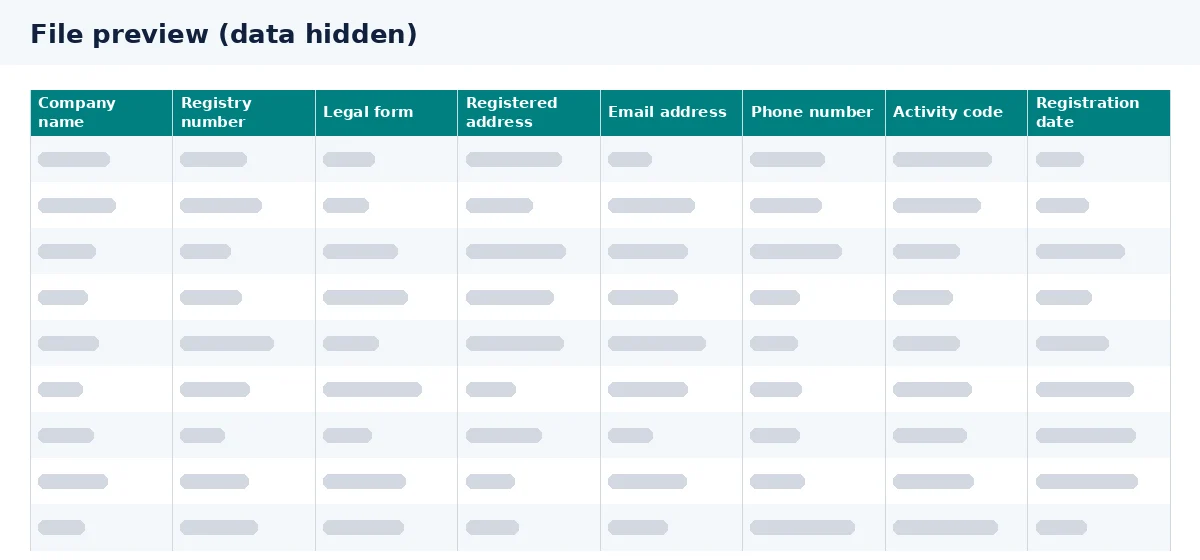
Filters you can use in Excel
Download the file and apply filters in Excel to prepare a shortlist. Start with the characteristics that make a company relevant to your business, rather than selecting every available email address. These are spreadsheet workflows, not features of an online search platform.
- Region: filter cities and postcodes to narrow your territory. A separate region field is not included; grouping addresses into regions requires your own mapping.
- Industry: select relevant industry codes. Check that the codes match your intended sectors before saving a segment.
- Size: employee count and turnover are not included, so the supplied file cannot directly filter companies by size.
- Legal form: use the legal-form column to select the types of businesses appropriate to your offer.
- Founding date: filter registration dates as the available reference for company age. Registration does not necessarily indicate when a business began trading.
Prices and how to get your file
The full Italy database is available from 199 €, paid once rather than through a subscription. The purchase covers the country file in XLSX and CSV, not a separately priced selection of email addresses. Review the sample before committing, especially if your workflow depends on particular fields.
For the country overview, visit the Italy company database. Keep an untouched copy of your download, then work on a separate version for filtering, account matching and any notes your team adds.
| Option | Price | What you receive |
|---|---|---|
| Italy sample | Free | 50 rows to inspect the file |
| Full Italy database | 199 € | Full country file in XLSX and CSV; one-time purchase |
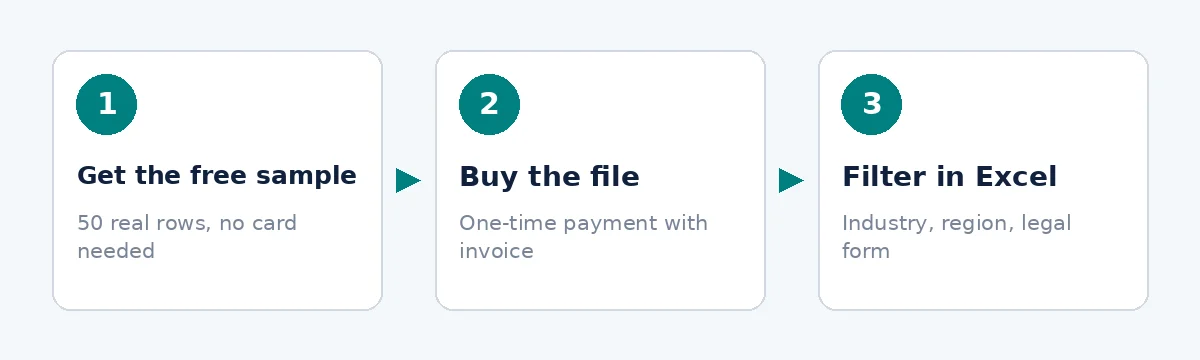
- 1
Get the free sample
Review 50 rows and check the available columns.
- 2
Buy the file
Purchase the full Italy database with a one-time payment.
- 3
Filter in Excel
Select relevant industry codes, locations and legal forms.
Who uses it?
Sales, marketing and recruitment teams can use the file to identify companies worth researching. The following examples illustrate possible workflows, not customer results. A record does not establish purchasing intent, hiring demand or permission to send marketing.
Sales: organise territory research
Example: an equipment supplier selects relevant industry codes and cities, matches registry numbers against existing accounts, then researches the remaining businesses. Available phone numbers can support a calling shortlist, subject to the applicable contact rules.
Marketing: prepare sector segments
Example: a marketing team groups companies by industry and location to plan sector-specific messaging. Before sending anything, it checks whether the proposed channel and lawful basis are appropriate for the recipients and keeps opt-outs out of campaign files.
Recruitment: research potential clients
Example: a recruitment agency filters businesses in its specialist sectors and investigates their hiring activity separately. The file supplies company details, not vacancies, hiring-manager contacts or evidence that a business needs recruitment support.
Is it legal?
Buying a business database does not automatically authorise marketing to everyone listed. GDPR can apply to business contact information when it identifies a person, including certain email addresses and sole-trader details. Your responsibilities depend on the data, purpose and method of contact.
B2B legitimate interest may support some processing after an appropriate assessment of purpose, necessity and the individual's rights. It is not blanket permission for unsolicited email. Italian electronic marketing rules must also be considered, and consent may be required independently of your GDPR assessment.
Before outreach, establish the applicable lawful basis, provide required privacy information and make objections easy to exercise. Maintain suppression records and limit access to data your team actually needs. Seek qualified advice for your intended campaign rather than treating the purchase as a compliance guarantee.
Check the sample against your workflow
Open the sample in your usual spreadsheet software and check how registry numbers, postcodes and telephone fields are displayed. Preserve identifiers as text where necessary so spreadsheet formatting does not alter them. Test a small filtering workflow before preparing an import into another system.
Decide in advance which missing fields would prevent you from using the file. If your process requires turnover bands, employee counts or named executives, this database does not supply them. For other markets, browse all business email lists and assess each country's file separately.
Frequently asked questions
What does the Italy B2B email list include?
The file covers 831 275 companies and contains 758 419 email addresses and 697 908 phone numbers. Included fields are company name, registry number, legal form, address with city and postcode, email, phone, industry code and registration date. Contact availability varies, so inspect the free sample before deciding.
Can I filter the Italy company email list by turnover?
No. Turnover and revenue are not included, and neither is employee count. You can filter the supplied fields in Excel, including industry code, city, postcode, legal form and registration date. Size-based targeting requires separate information that you obtain and match to the company records yourself.
How much does the Italian business email database cost?
The full Italy file is available from 199 € as a one-time purchase, with no subscription. You receive the country database in XLSX and CSV formats. Start with the free 50-row sample to review the layout and determine whether the included company and contact fields meet your needs.
Does the Italian company contact file include decision-makers?
No. Decision-makers and board members are not included in the file. It provides company-level details and email and phone fields, not a dedicated directory of executives or job titles. If you need to reach a particular role, plan for separate research and check the requirements for contacting that person.
Are Italian business email addresses guaranteed to be deliverable?
The supplied figures do not establish a deliverability guarantee or confirm that every company has an email address. Review the sample and assess contact suitability before use. A listed address is not evidence of consent, purchasing interest or a relationship with your business, so qualification and compliance checks remain necessary.
How can I use an Italian company database in Excel?
Open the XLSX file or import the CSV, check column formatting, then filter by the included fields. You can compare registry numbers with your existing account records and save relevant companies into a working shortlist. Keep the original download separate from edited files so you can revisit the supplied data.
Review the sample before buying
Download the free 50-row sample to inspect the Italy file's columns and contact availability. If the structure fits your workflow, buy the full database and build a focused company shortlist in Excel with a one-time purchase.